Files Tab
The Files tab shows generated export files.
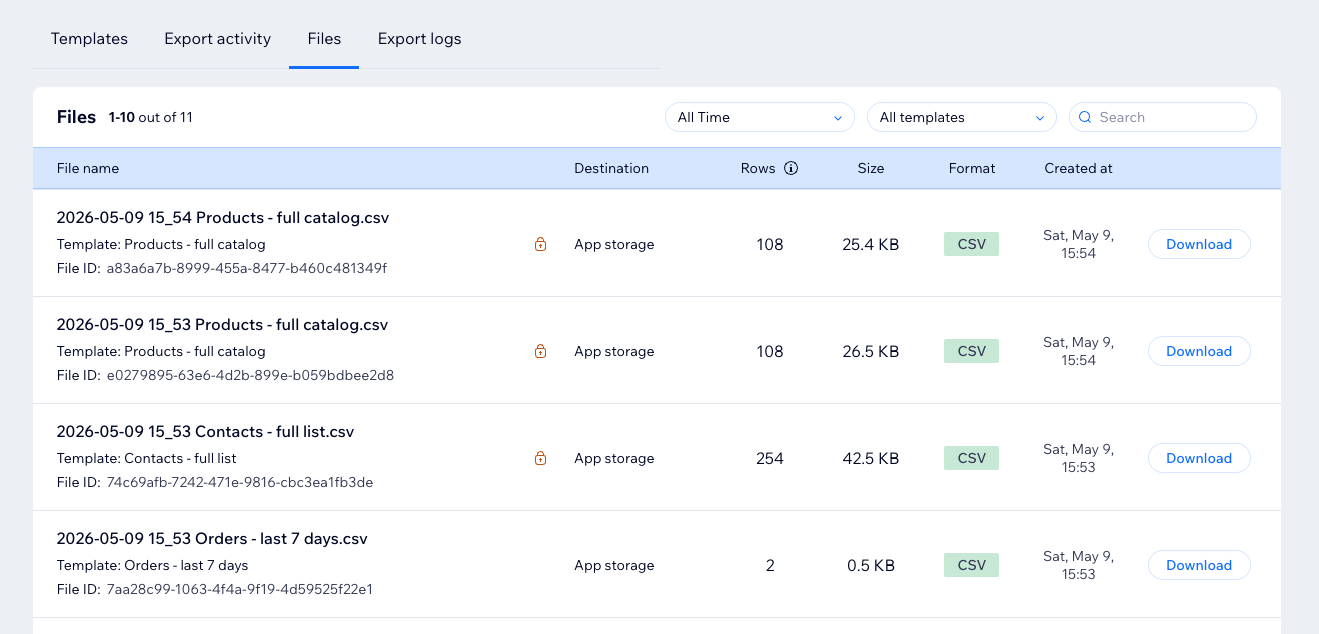
Columns
- File name: generated file name, template name, and file ID.
- Sensitive field sign: shown when the file contains sensitive fields.
- Destination: where the file was delivered, such as app storage, Google Drive, Google Sheets, or FTP.
- Rows: exported data rows.
- Size: file size.
- Format: CSV or Excel.
- Created at: when the file was created.
- Download: downloads the file.
Sensitive Field Sign
The sensitive field sign means the file contains one or more sensitive fields. Learn more in Sensitive Fields.

Row Limit Sign
If an info icon appears near the row count, the file may be truncated because of the current plan row limit. Learn more in Row Limits and Truncation.

info
The Rows column excludes the header row.