Fields
Fields are the data values included in the generated file.
Select only the fields you need. Fewer fields usually mean faster template preparation.
Select or Deselect Fields
Use the checkbox near a field to select or deselect it.
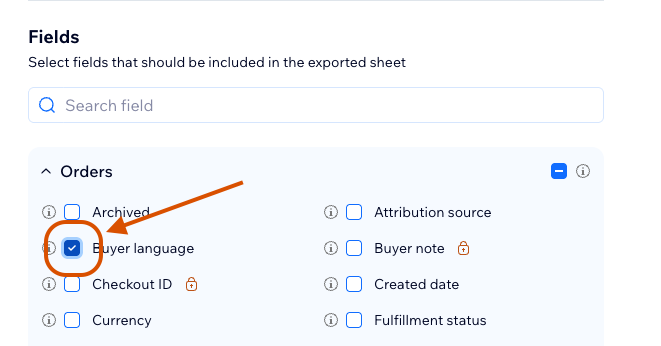
You can also remove selected fields from the Columns section.
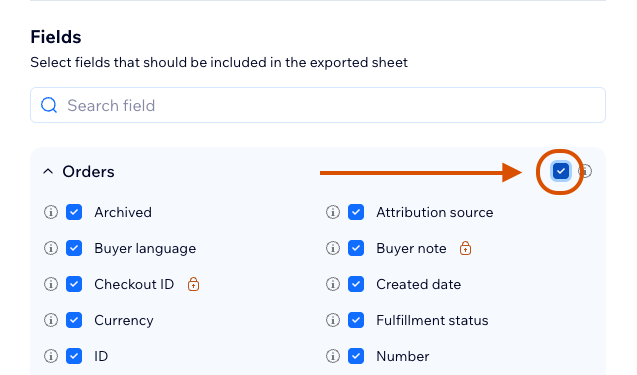
Select or Deselect an Entire Table
Use the table checkbox to select or deselect all fields in that table.
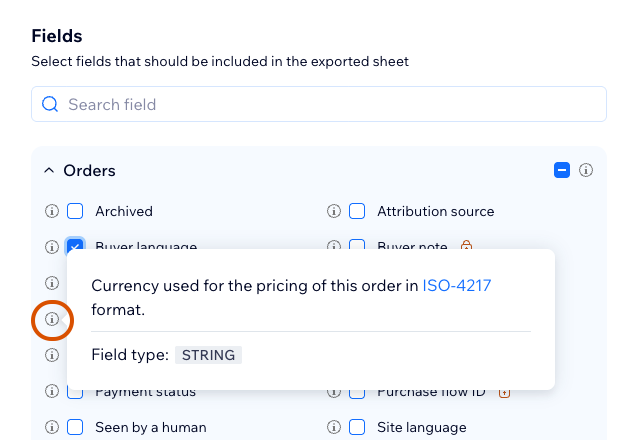
Field Info
Use the info icon near a field to see field details, including description, field type, and possible enum values.
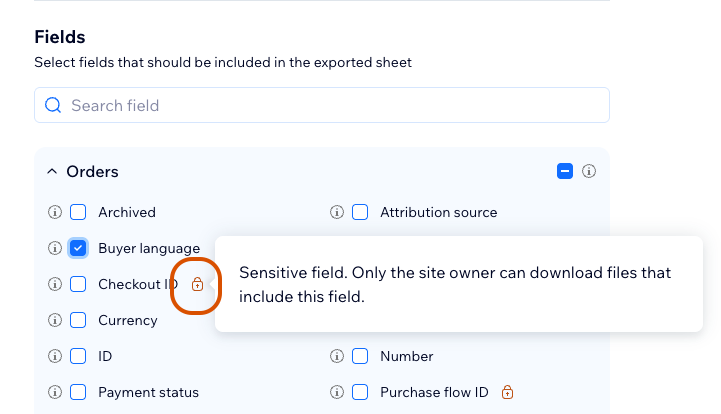
Sensitive Fields
Sensitive fields are marked with a sensitive field sign. Contributors cannot add sensitive fields to templates and cannot download files that contain sensitive fields.
Learn more in Sensitive Fields.
Only the site owner can add sensitive fields to templates.
Locked Tables
Some tables are locked when selected fields already come from an incompatible repeating table structure.
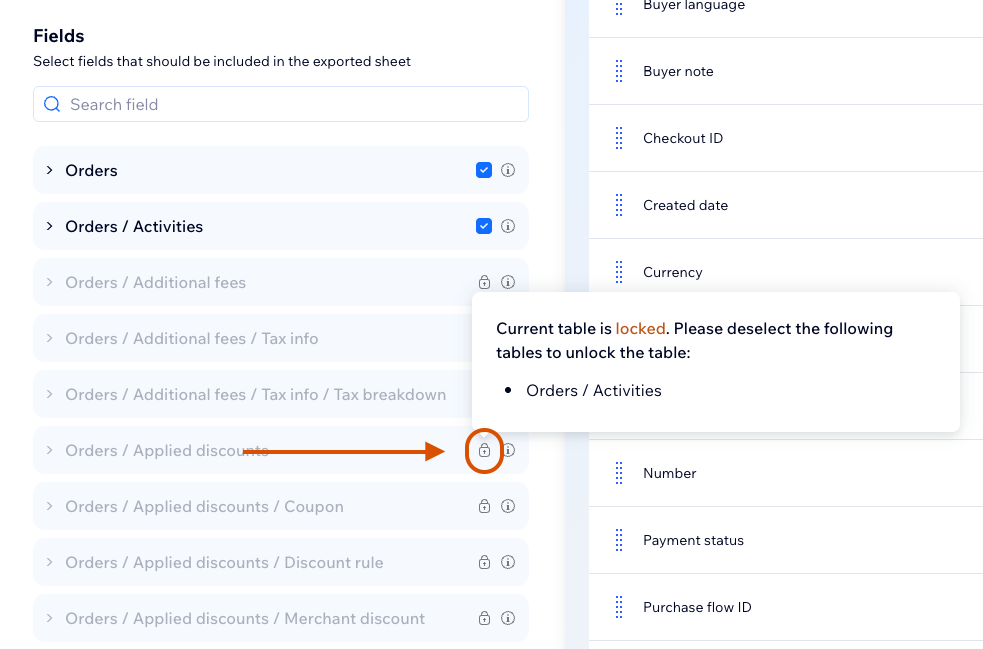
To unlock a table, remove the conflicting selected fields or place incompatible data on separate sheets.
Learn more in Tables and Fields.
When tables are locked, the safest fix is usually to create another sheet for the conflicting repeating data.
Search Fields
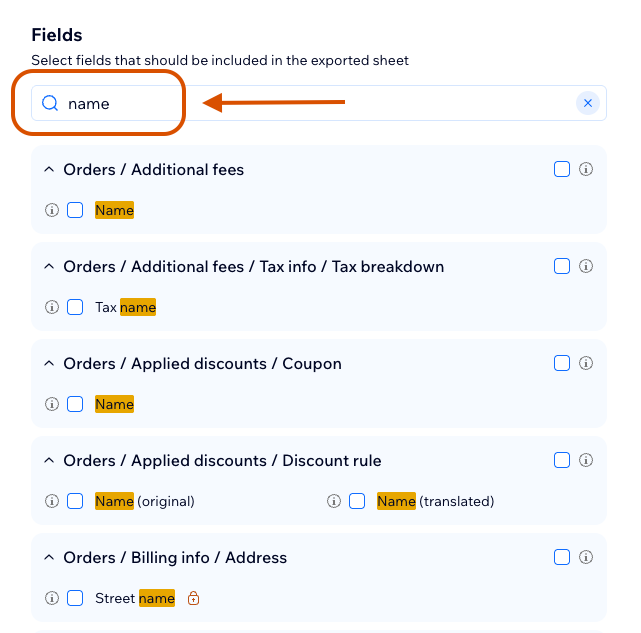
Use the field search input to find fields by name.
Why Fields Are Divided by Tables
Fields are grouped by tables because Wix data often contains nested or repeating structures. Table grouping helps keep exported rows consistent and prevents incompatible nested data from being placed into the same sheet.