Template Actions
Template actions are available from the Templates tab.
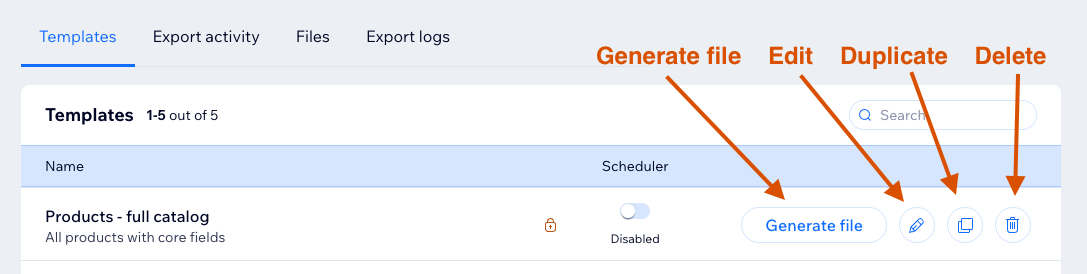
Generate File
Click Generate file to create a new file from the template.
If another export is active, the template is added to the queue. See Export Queue.
Edit
Click Edit to open the template editor.
Editing may be disabled if:
- You are a contributor without modify permission.
- The template is blocked by plan limits.
- The template was created for a different catalog version.
Duplicate
Click Duplicate to create a copy of the template.
Duplication is blocked when the template limit is reached or when contributors do not have modify permission.
Delete
Click Delete to remove a template.
Deleting a template also deletes all export files and logs associated with that template.
Contributors can delete templates only if the site owner allows it.